Ledger Recovery Phrase - The Complete Guide to Your 24 Words
What the 24-word recovery phrase is, how to back it up so fire and burglary cannot take it, when the 25th-word passphrase helps, and exactly what to do if you think yours is compromised.
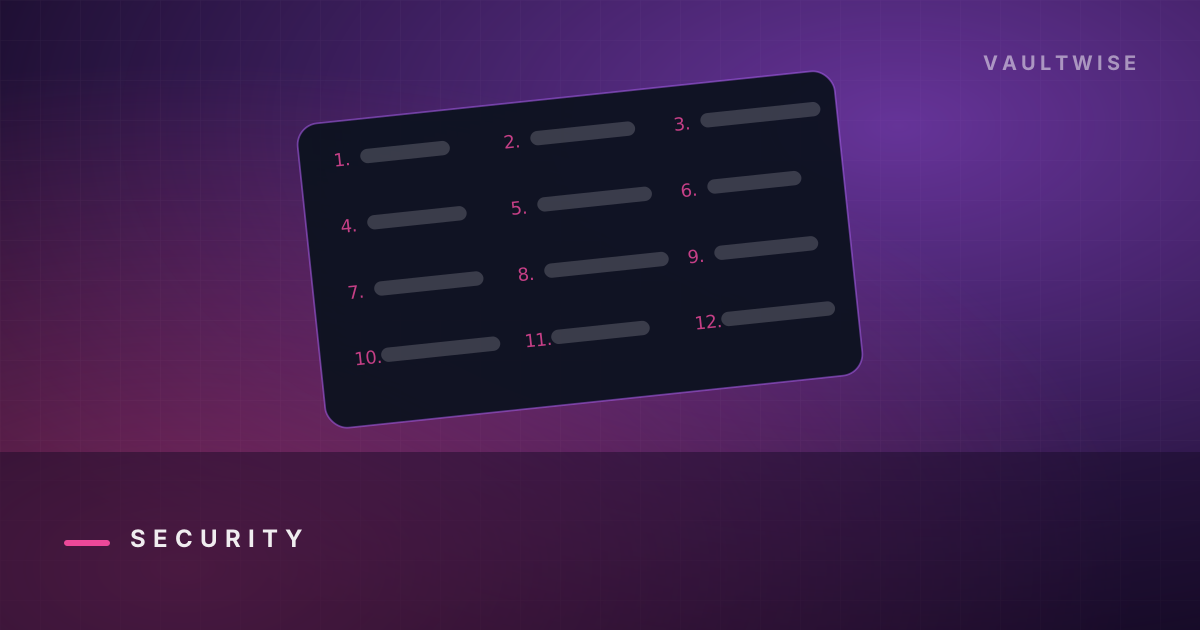
Everything else on this site is optional. This is not. Your Ledger's 24-word recovery phrase is your wallet - the device, the app and the company are replaceable conveniences arranged around those words. Lose them and the funds are gone. Leak them and the funds are gone faster.
Here is what they are, how to store them like an adult, and what the 25th word actually buys you.
What the 24 words actually are#
They are a human-readable encoding of a random number - your wallet's master seed - defined by an open standard called BIP39. Each word comes from a fixed 2,048-word English list, chosen so that the first four letters are unique and so the last word acts as a checksum.
From that seed, deterministic maths derives every private key for every account on every chain you use. That has three consequences worth internalising:
- The words are the wallet. Whoever holds them controls the funds, from anywhere, with no device needed.
- You are not locked in. BIP39 is a standard, so those words restore into Trezor, Sparrow, Electrum, BlueWallet, Coldcard and dozens of others. If Ledger disappeared tomorrow, your coins would not.
- There is no reset. No support desk, no identity check, no recovery email. This is what "be your own bank" actually means in practice.
Why the words are generated on the device#
At setup, the secure element generates the seed itself, using a hardware random number generator, and displays it on its own screen. It never touches your computer, so a compromised laptop never sees it.
This is also why a device that arrives with words already written on a card is a trap - the "wallet" is pre-loaded with a phrase the attacker also has, and they are simply waiting for you to deposit. Always set up as new device and generate your own.
Backing up: the three-layer model#
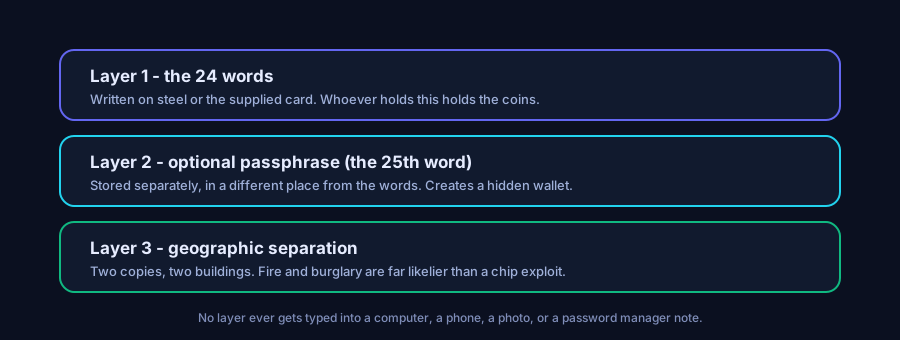
Layer 1 - the medium#
Start on the supplied paper card, written by hand, in order, numbered, legibly. Then upgrade.
| Medium | Fire | Water | Rot | Verdict |
|---|---|---|---|---|
| Paper card | No | No | No | Fine for a week, not for a decade |
| Laminated paper | No | Yes | Some | Marginal improvement |
| Stamped steel plate | Yes | Yes | Yes | The correct answer above a few thousand dollars |
| Any digital file | n/a | n/a | n/a | Never. Not encrypted, not offline, not "just temporarily" |
Steel backup plates - punched letter tiles or a hand-stamped blank - survive house fires that paper does not. This is the highest-value purchase in self-custody and costs less than a night out.
Layer 2 - the copies#
Two copies, two buildings. Not two drawers in the same house. The most common way people lose crypto is not hacking; it is fire, flood, a house move, a well-meaning relative clearing out a desk, or a landlord's renovation.
A safe deposit box, a trusted relative's home safe, or a second property all work. What does not work is a single copy in the same room as the device.
Layer 3 - the separation#
Never store the words and any device together, and never store the words with a note that says what they are. A steel plate in a fireproof box labelled "CRYPTO" is an advertisement.
What never to do, ranked by how often it ends badly#
- Type them into a website. This is how most people lose everything. Every fake "wallet validator", "Ledger Live update", "node sync fix" and "recovery tool" exists to harvest 24 words.
- Photograph them. Photos sync to iCloud/Google Photos, and cloud accounts get breached or phished.
- Store them in a password manager. Your password manager is an online, phishable, single point of failure. It is excellent for passwords and wrong for seeds.
- Email or message them to yourself. Same problem, worse.
- Split them naively across cloud accounts - "12 words in Drive, 12 in Dropbox" halves your security rather than doubling it, because 12 known words dramatically reduces the search space.
- Tell anyone you own crypto. The "$5 wrench attack" is real, and it starts with someone knowing there is something to take.
The 25th word: passphrase and hidden wallets#
Adding a passphrase (BIP39 calls it an optional extension word) mixes your chosen string into the seed derivation. The result is a completely different wallet - different addresses, different balances - reachable only by supplying both the 24 words and the exact passphrase, character for character, case sensitive.
What it buys you:
- Someone who finds your steel plate gets an empty or decoy wallet, not your savings.
- Under coercion you can open the 24-word wallet, which holds a plausible small amount, without revealing the passphrase-protected one.
- You can run several wallets from a single backup.
What it costs you:
- A new, unforgiving way to lose everything. Forget the passphrase - or fat-finger a space, a capital letter, an accent - and the funds are unreachable forever. No brute force will save you.
- A second secret that itself needs a durable, separate backup.
Ledger Recover, honestly#
Ledger sells an optional, paid service that can split an encrypted copy of your seed into shares held by identity-verified custodians, so you can restore with ID if you lose your backup. It is opt-in and requires explicit consent and identity verification.
It is a reasonable product for people whose realistic risk is losing their backup rather than having it stolen - which describes a lot of ordinary users. It is also, unavoidably, a system in which an encrypted copy of your seed exists outside your control, subject to legal process against third parties. Those are not compatible with the reason most people bought a hardware wallet.
Our position: if you can maintain two steel backups in two buildings, do that instead. If you genuinely cannot, the service beats losing your coins - just do not pretend it is the same threat model.
What to do if you think your phrase is exposed#
Assume the worst and move fast. Anyone with your words can drain you at any moment.
- Set up a brand-new wallet on a device you trust - ideally a different physical device - and generate a new 24 words.
- Verify the new backup before using it.
- Move every asset across, highest value first. Remember chains other than the obvious one: staked positions, NFTs, tokens on layer 2s, and anything locked in a protocol.
- Revoke token approvals attached to the old addresses - a drainer with the seed does not need approvals, but if you also signed something malicious, clean it up.
- Never reuse the old phrase. Destroy the old backups.
Exposed means exposed: typed into any website, photographed, seen by another person, or stored on any device that was ever online.
FAQ#
Can I recover my Ledger without the recovery phrase?#
No, unless you subscribed to Ledger Recover beforehand. Without the phrase and without the device PIN, there is no path back. This is by design - the same property that stops anyone else from taking your funds.
Is it safe to store my recovery phrase in a password manager?#
No. A password manager is an online, phishable target, and a single compromise then exposes the one secret that cannot be rotated. Keep seeds offline, on paper or steel.
Can I change my Ledger recovery phrase?#
Not in place. You create a new wallet - reset the device, set up as new, generate fresh words - and move the funds across. A recovery phrase cannot be "rotated" the way a password can.
What if I lose one word?#
BIP39's checksum plus the fixed 2,048-word list means a single missing word is often recoverable with open-source tooling, run offline on an air-gapped machine. Two or more missing words gets rapidly hopeless. Never use an online "seed recovery" service - all of them are theft.
Does the order of the 24 words matter?#
Completely. The phrase is position-dependent; the same words in a different order derive a different wallet. Always record them numbered.
Is 12 words less secure than 24?#
In practice, no - a 12-word phrase already carries 128 bits of entropy, which is far beyond brute force. Ledger uses 24 words (256 bits) for margin. The realistic risk is never brute force; it is you leaking or losing the words.
Disclosure. Some links on this site may be affiliate links. If you buy through them we may earn a commission at no extra cost to you. It never changes our verdict — we say when a product is a bad fit. Vaultwise is an independent publication. We are not affiliated with, endorsed by, or sponsored by Ledger SAS, Trezor/SatoshiLabs, or any wallet manufacturer. Product names and trademarks belong to their respective owners.
Keep reading
Is Ledger Safe in 2026? The Breach, Ledger Recover and the Real Risks
An honest risk assessment of Ledger - what the 2020 data leak and the 2023 Connect Kit attack actually exposed, whether Ledger Recover changes the trust model, and where the genuine danger sits.
Targets: is ledger safe
Ledger Scams and Phishing - Every Trick, and How to Spot It
The complete field guide to Ledger scams - fake support, fake Ledger Live updates, counterfeit devices in the post, drainer approvals and address-poisoning - with the tells that give each one away.
Targets: ledger scam email phishing
Ledger Hardware Wallet Review 2026 - Is It Still Worth Buying?
A full, independent review of the Ledger hardware wallet range - how the secure element actually protects you, what the 2020 breach and Ledger Recover really changed, and who should buy which model.
Targets: ledger hardware wallet review
Get the self-custody checklist
One email a month: new scam patterns, firmware notes worth reading, and the mistakes that actually cost people money. No token shilling, ever.
Replace the form action with your own Formspree / ConvertKit / Buttondown endpoint in src/layout.mjs.